Monday, July 1, 2013

LG Laser Display

By Kinan Jarjous

If you're in the market for a new TV and are browsing through LCD, plasma, and LED TV sets, you will probably be surprised to learn that there is a new TV technology in town brought to you by LG Electronics: Laser Display.
A hundred inches of Laser Display, that is!
Not content with the current market technology offerings, LG created the world's first laser technology and packaged it in a new revolutionary projection system dubbed "Ultra Short Throw" (UST for short) allowing the projector to be set up 56cm (22") away from the (also very thin) 100" screen.
What does this new laser technology do? Aside from sounding fancy and allowing more leg room in your home, ot boasts 1080p HD and a whopping 1,000,000:1 dynamic contrast ration. In layman's terms, LG is going to redefine how black colours appear on your TV. And instead of a bulb, you have smaller lamps emitting precision light and last much longer than your conventional lamp; in fact, LG claims it'll run for 25,000 hours. That's a lot of TV time.
There is plenty of technology engineered into the screen itself, of particular interest is the anti-glare filters that won't let the sun or ambient light rob you from your experience. The only downside is that the viewing angles from the side are not that great, but the screen is big enough and you and your friends will be sitting comfortably a few metres away huddled in the centre. Wireless technologies and built-in WiFi saves you the hassle from fumbling with cables.

Though all this technoogy is ground breaking and fancy, the price is a real value-for-money deal. With an estimated MSRP of AED 29,999 it sets itself beyond the rest of the competition for what it delivers in technology and screen size for its price.
LG's relevant press release could be found here.

Wednesday, April 24, 2013

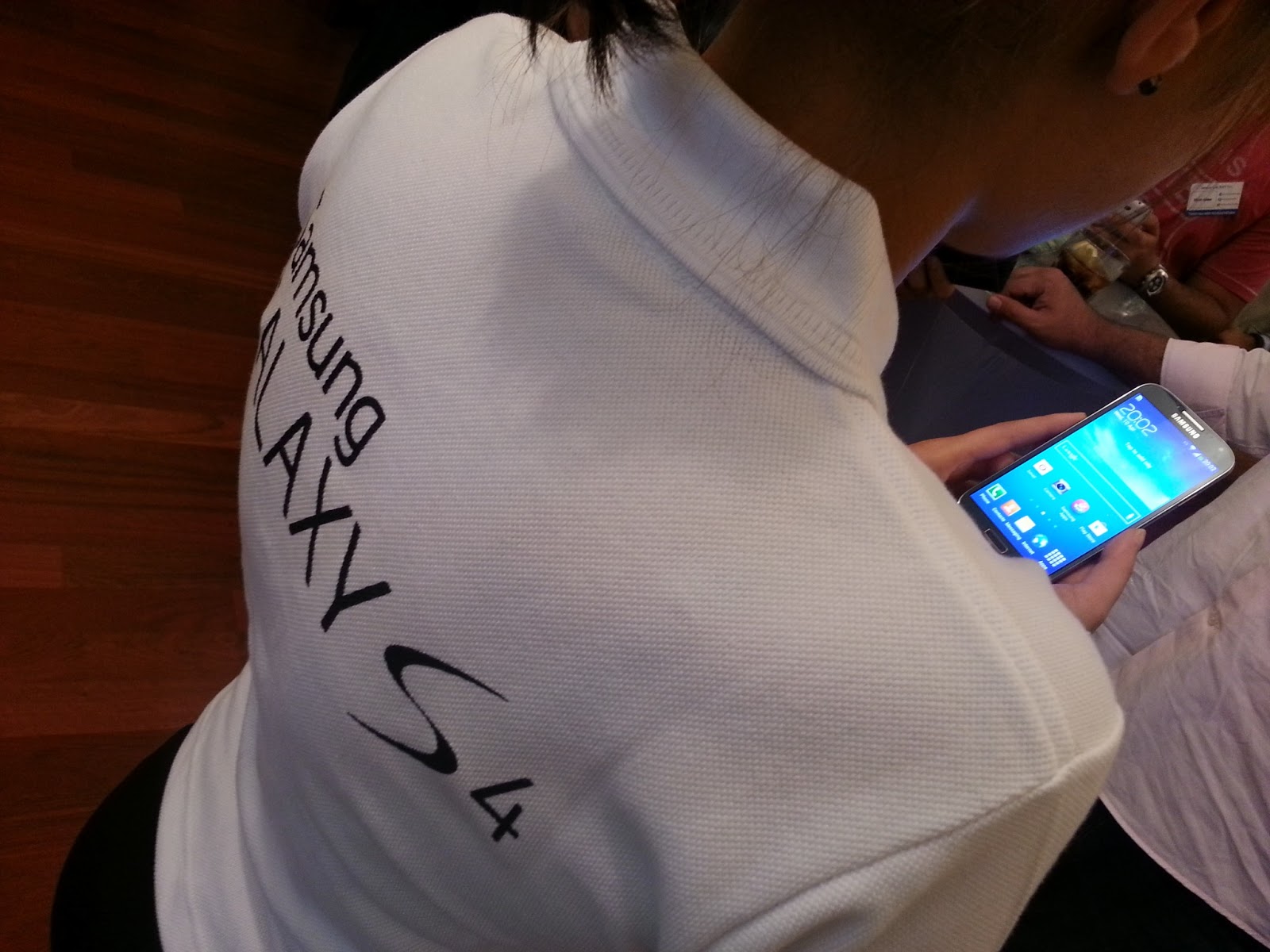
Samsung Galaxy S4 UAE Launch


By Khaled Akbik

We were invited to Galaxy S4's sneak peak by Samsung in Dubai a few days ago and had the chance the view firsthand the prowess of Samsung's flagship device.

What's New?

The device comes with an impressive 13MP camera, 1920x1080 (441ppi) resolution, 1.9 quad-core processor, 2GB RAM and it comes in 16GB, 32GB, 64GB versions + microSD card slot.

Samsung has built on its impressive feature set with some new intuitive features that puts its flagship smartphone ahead of the pack with additions like S-Translator, Group Play, Sound and Shot, Story Album, Smart Pause, Air View/Air Gesture, S Health and many more.

We're currently sourcing a device to review at length and go through the multitude of added features on the device as well as trying out the battery life and processor capabilities. For now though we were able to go through some of is main features in the 2-part video below.


Certainly, this is a device that is both powerful and easy on the eye and is a clear contender to the new additions in the very competitive smartphone market of today. What do you think? HTC One or Galaxy S4?

The Samsung Galaxy S4 will be available in the UAE on April 27th, will retail at about AED 2,700 ($733) [price to be confirmed].


Saturday, April 6, 2013

LG ND5520 Dual Dock Speaker Review

By Khaled Akbik

The good folks at LG were kind enough to give us this beautiful device to test it out. Here's what we think about it.

Overview

Many of us today own multiple devices where we store our media files and music on and access the Internet from. Many of us have a combination of an iPad and an iPhone or Android phone, or an iPod and an Android phone. The LG ND5520 was built with these people in mind.

The device has two docking stations, one that has a 30 pin iDevice dock and another with a micro USB. The iDevice connector works with any iDevice (iPods, iPads, iPhones) except for the new generation iPad, iPod Touch and iPhone 5 that require Apple's Lightning adapter to work. This is quite a limitations for those who have upgraded to Apple's new offering or those who have just caught up with the rest of the world, choosing to be Apple users.

Thankfully, I have plenty of devices in my arsenal and was able to test it with the following: iPad 2, iPad Mini, iPod Touch 5th generation, iPod classic, Samsung Galaxy Note 2 and a Nokia Lumia. Of course I had to use Apple's propratiery 30 pin to Lightning adapter to get the iPad Mini and iPod Touch to work on it.

The LG ND5520 retails at AED799 ($217).

Look and Feel

The device's design is quite simplistic yet beautiful. It is evident that LG had performance and sound quality in mind when they designed this. The device I reviewed was white all around (the only color available), with a touch enabled pad that also acts as a display screen showing the current status, time, functions, etc of the device. I found myself playing with this touch pad quite often.

The ND5520 has a USB slot at the back as well as an antenna jack to boost the built-in radio's performance. It also comes with an extension piece that acts as a supporter for whenever an iPad is docked on it and an infrared remote control.

The App


LG has also developed an app (iOS and Android) that turns your smartphone into a remote control as well, just in case you've misplaced the actual remote or you're simply too lazy to reach out for it. The app is brilliant and does everything the remote does with a few extended functions like putting the device to sleep, setting folder presets, muting and looping tracks.

Unfortunately, there is no app for phones running Windows 8 at the moment. However, the phone does work as any Android device would over Bluetooth.


The Docks and Connections


One thing I loved when I first fired up the device is when the clock automatically set itself as soon as I docked my Note 2 on it. I love smart devices that do such things on their own.
The ND5520 acts as a speaker for whatever you're playing on your device, movie, YouTube, music, etc.

The device has 5 modes it runs on:
1. iPod (this covers pretty much all iOS devices)
2. Radio
3. USB
4. Port
5. Bluetooth (displayed as BT on the device)

I found it rather strange that it doesn't have a mode for Android. While you can play media from an iOS device when docked, you can't do the same with an Android device. The only way you can do that is through Bluetooth, which works well enough, but quite limiting since I can only connect one Bluetooth device at a time. It's means if I'm listening to music from my Android device through Bluetooth I can't use the app on another device as a remote control since it also runs over Bluetooth.

The iOS, USB and radio are straight forward. The port is used if you plug a 3.5mm jack positioned at the back with your music player, the device here functions as any headphones or standard speakers would.

Both the iDevice and micro USB docks charge the device when docked as well.

Sound

The LG ND5520 sounds brilliant. I fired up Pink Floyd's High Hopes as a first test and I was extremely impressed with the quality of sound. Everything sounded crisp and clear with no noise whatsoever, even when cranked up to the highest volume level. The bass level is supported by the device's size, as mentioned earlier, LG designed this with sound quality in mind.

If you're worried about sound quality with this device, don't be.

Verdict


Multi-dock, with added value of Bluetooth  USB, radio and 3.5mm jack port together with an accompanying smartphone/iPad app, remote control, alarm clock, multipurpose touch front panel display, affordable price and great sound...this is an outstanding device.

It's only drawbacks are the outdated iDevice connector, which could easily be addressed by using the 30 pin to Lightning connector, and that Android only works over Bluetooth, which works just as good, but we're all for equality and all that.


Saturday, March 23, 2013

Nokia Lumia 920 Review


By Kinan Jarjous

The last time I have owned a Nokia phone was back in college, when at around 2003 or early 2004 I have jumped ship and swam across the treacherous ocean before boarding the Sony Ericsson ship with the T610. Fast forward a decade later, and I am now in repossession of a Nokia phone. And not only a Nokia phone -- but also a different OS altogether: Windows Phone 8.
The Windows Phone operating system was not new to me as I have used the HTC 8X for a couple of weeks for review. Since I have bought the Lumia and have had more experience with the phone, I will only touch lightly on the OS, but mostly in terms of the Nokia experience that is bundled with the phone.

Build Quality

I have to be honest here: the Lumia 920 didn't give me that "wow" factor that the HTC 8X gave; the HTC 8X is a remarkable and unique piece of engineering. That does not mean that the Lumia is, by any means, built badly; in fact, it is anything but.
The screen is phenomenal and represents colours beautifully. When placed next to an HTC 8X you will notice that the HTC has a cooler colour temperature than the Lumia. I personally prefer the Lumia, though as it is with colour temperature, the eyes do adjust quickly. The Lumia is more comfortable though to look at, even if the HTC 8X is sharper (smaller screen with slightly higher DPI).
The power button is thankfully on the side. Considering the phone dimensions and ergonomics, it makes sense to not place it at the top. You have the dedicated camera button and volume buttons, all of which feel very polished and nice.
The phone itself is heavy. I wouldn't go as far as labelling it "unusable" as some tech sites pointed out, but it is heavy, and heaviness that you will appreciate when the phone falls and does not even scratch. The 920 is possibly the most heavy-duty and sturdiest phone I have ever used. Period. I have had it for a few months now and it has been in pretty tough spots on trains, asphalt, and keys, and still no damage.
Once you get past the bulkiness of the phone, you will start to appreciate how good the device is. I would still wish for it to be lighter, though.

Camera

There has been a BIG hype on the camera quality of the Lumia 920, particularly night shots. I have to give them the advantage and say that the night time photos ROCK, no exception. The photos easily blow the competition -- ALL of it -- out of the water. There were photos that have been taken in near darkness and they came out beautifully. There is a learning curve in keeping your hands steady, so if you haven't held a DSLR before you need to accept the idea that sometimes you need to wait and not move after you tap/press the shutter.
That said, the daytime photos are a mixed bag, with some photos being just too damn good while others were just average. I didn't have the white balance flicker problem experienced in the HTC 8X, which is fantastic as it is one less thing to worry about. There is a clear issue with sharpness, though. Even after the firmware upgrade -- which improved the front and rear cameras -- there is a distinguishable softness to daytime photos. You can increase the clarity with the built-in Creative Studio app, but that it an unnecessary step but they are in no way as sharp as the Galaxy S3, for example.
Macro photos on the other hand are oddly sharp, but it is almost impossible to manually focus with a macro without trying at least a dozen times. This is a core issue with the Windows Phone camera in general, since tapping will attempt getting that area in focus AND shoot. The only way to focus without shooting is by half-pressing the shutter button and recomposing before taking the shot. But in macro, this is very imprecise.
What solved my macro problems (and gave me more control over the camera) is the ProShot app. I won't give a full review here but suffice to say it is a must-have companion, if only because have a manual focus option which helps greatly in macro shots.
When it comes to video, the camera pulls off a stellar performance at any hour of the day. It's almost too ridiculously good, and with the camera stabilisation you feel that the camera has been placed on a rig. You'll never look at camera videos the same way again. Ever. And you don't get the post-processing softness you would get in the photos.

The Nokia Bundle

If there is any reason why I would choose the Nokia over the HTC -- all other things being equal -- it would be the fantastic collection of Nokia applications (most of which have been rebranded as "HERE"). City Lens shows nearby attractions as well as directions, distance, and information. Drive+ is a navigation app that works well. HERE Maps is a must-have and is a fantastic replacement to Google Maps, and works great in the Middle East, and have used it in Sri Lanka as well. It comes complete with routes, traffic, and other things you are used to from Google Maps (sans Latitude). What is great about it is that you get street numbers in areas that Google Maps does not have. If you prefer Google Maps, you can still get gMaps from the Windows Phone store. HERE Transit shows you public transit routes, and works well in the UAE, too.
You also have Panorama, Nokia Music, and a bundle of other apps at your disposal.

Battery

Shocking, to say the least. On some days with heavy use, it hardly lasts five hours -- six if I am lucky. With light to moderate use you can add a couple of more hours, and if I were connected on WiFi at work then it can clock in 12 hours. Taking a video at 1080 for 40 minutes can drop your battery by 60%. Non-stop texting on WhatsApp over 3G, with a few photo exchanges (from camera) can kill your battery in 3 hours.
I have tried all different things with the phone and the best way to keep it going is to have chargers in the office, the car, and home, and to charge the phone fully if you know you're going out at night to a concert or something. You can push a a full day without charging with moderate use over WiFi, but on most days you'll find yourself plugging it in by 4 PM.

Conclusion

The Lumia 920 is a bulky, sturdy phone that will take a while to get used to. With a gorgeous, large screen and lots of horsepower, you can hardly go wrong with it. If the camera performance and stabilisation are not your concern, then you can go for the 820 model and still get the rest of the Nokia goodness. Just remember to have chargers with you.


Saturday, March 16, 2013

Lenovo IdeaPad Yoga 13" Review

By Khaled Akbik

First Glance


The good folks at +Lenovo provided me with a 13" Lenovo Yoga to review. Here goes:

The device has a simple, elegant and beautiful minimalist design. It is thin, light and sturdy. It feels durable and premium despite being quite low priced for a device with its features and quality.

Did I mention that it's also a tablet? I guess not, we'll get to that :)


Let's get the numbers out of the way


Dimensions (13"): Unit reviewed
333.4 x 224.8 x 16.9 mm
13.4 x 8.85 x 0.66 inches

Dimensions (11"):
298 x 204 x 15.6 mm
11.7 x 8.0 x 0.61 inches

Processor: NVIDIA Tegra 3 processor
OS: Windows 8 (with touchscreen functionality)
Screen size: the Yoga comes with two screen sizes, 11" and 13" - touchscreen
Screen resolution: 1366x768 with wide viewing angle, 16:9 widescreen
Storage: 64GB (unit reviewed), up to 256GB SSD on retail units
RAM: 2GB DDR3 memory built in (upto 8GB expandable)
Sound: 2 x 1W speakers with Dolby Home Theater v4
Webcam: integrated 720p HD
Speakers: integrated stereo speakers
Graphics: Integrated Intel HD 4000 Graphics

Others: WiFi, Bluetooth, two slots of USB 2.0, HDMI outpot slot  and a 2in1 card reader

Price: 
13": AED 4,299 ($1,170)
11": AED 2,999 ($815)

Appearance & Build


The device comes with two different colors and two sizes. The two colors available are Silver Grey (the unit reviewed here) and Clementine Orange (which I had the chance to experience as well). Both colors suit the ultrabook well and are pleasant on the eye. The color can only be seen on the outer side of the chassis on the lid and lower bottom. The keyboard and screen bezel are both black.


The device is built from plastic, hard durable plastic. It doesn't feel cheap at all and feels quite solid.
The outer sides (lid and bottom chassis) reflects the color of the device (Silver Grey or Clementine Orange). I had the chance to also experience the Clementine Orange variant and it looks quite funky. I liked it.

The inside is all black. This includes the keyboard and screen bezel, which is entirely made up of glass. This adds to the premium feel and look of the device makes the screen look sexy. This is needed since the Yoga doubles as a tablet once the screen flips over. Wait, what?! Yeah, the screen makes a 360 degree flip to turn the laptop into a tablet. This, being a distinctive feature of the Yoga, is covered next.

The Four Modes


Lenovo has developed and patented special screen hinges that enable the user to flip the screen 360 degrees. This enables the user to use the device in multiple ways, four usable ways to be exact:


The Laptop Mode

The ultrabook could be used as a standard laptop once the screen lid is opened with the standard 90 degree (or more realistic 100 degree angle). No need to dwell on this mode much.


The Stand Mode

The screen's special hinges allow the user to flip the screen at about 270 degrees. Now the keyboard faces downwards, acting like a stand and the user could interact with the Yoga as a tablet. Windows 8 includes a touch keyboard to substitute to the now hidden physical keyboard.

The Tent Mode

Keeping the device at a 270 degree angle, it could be placed in a tent form with the upper edge of the screen and lower edge of the keyboard acting as stands. The physical keyboard is now on the opposite direction of the touchscreen. The user is free to interact with the touchscreen without worrying about the device losing its angle thanks to the sturdy hinges that keep it in place which ever way it is laid at.


The Tablet Mode

The screen and keyboard are in positioned back to back. The, now, tablet could be held like a regular tablet (think iPad) and used as such. At a mere 1.54 kg on the 13", the device is easy to handle and hold. You'd need both hands though as it is quite sizable and still considerably weightier that an iPad or a regular tablet. The screen/tablet has a single button in the lower middle side of the screen (as do all Windows 8 tablets and touchscreen laptops) which acts as a Home button, taking the user back to the default Metro view.

Modes Verdict

Different modes are handy for different situations, which is what Lenovo is looking to address here. I found myself mostly using the standard Laptop Mode when I'm working on something that requires a lot of typing, like this review, as well as, the Stand and Tablet Modes when using the touchscreen for browsing content, social networking, watching videos, etc. These last two modes are also useful when playing touch-friendly games like Brizzle (I'm addicted!).

Yoga's special hinges allow the device to compete with the likes of the Asus Transformer family and the Samsung ATIV Smart PC. Yet the Yoga addresses these devices following problems:
1. The Asus Transformer and Samsung ATIV are both tablets that plug into a keyboard. This is fine, but you'd have to worry about leaving the keyboard behind or carrying it separately with you when you're away from home just in case you need to type an email or something.
2. The Samsung ATIV is considerably bulkier and pricier than the Yoga. It does come with higher specs though.
3. The Asus Transformer is cheaper than the Yoga, but lacks the full fledged OS functionality as it is primarily an Android tablet and not a PC.

The reasons listed above make the Yoga a winner compared to these two primary competitors, especially when taking into consideration how affordable the device is.


Battery


Being a laptop/tablet combo has its advantages. Ultimately, the device's battery is that of a laptop's, which secures long duration of battery use. I charged the batteries full, used the Yoga for about 4 hours with various functionality (playing games, blogging, browsing, watching videos), in multiple modes. I also had the device on standby for about 4 days and I still have an hour of usage left as I type this review now.


Issues Faced


Note: Before mentioning the problems I faced I'd like to note that the device I'm reviewing is a test device and could very well be different from those available in the market (which is quite common). The issues below could have very well been addressed in retail units or by certain updates to Windows 8 and/or the device.

The first test unit I received from the good folks at Lenovo was a 11" Clementine Orange variant. I quickly discovered that the touchscreen wasn't working at all. I did some research and discovered that some elements of the hardware conflict with the touchscreen's functionality rendering it inoperable. I believe this is Windows 8/device compatibility issue which I'm sure is addressed in some update. I wouldn't worry too much about this problem.

The Yoga has a handy feature which disables the physical keyboard when the screen is flipped up to a certain angle. This is useful to prevent accidental touching of the physical keys. That said, I did encounter situations when I flipped the screen slightly and the keyboard was automatically disabled with no way to bring it to work again, despite flipping the screen back into standard laptop mode. I had to press the power button to put the laptop sleep and wake it up again for the keyboard to function again. I also couldn't find a button or a function on the keyboard that brings it back to life. There could be another way which I am not aware of though. If this problem is due to my ignorance in using the device then the button or feature should be easily found to turn the keyboard back on again. Otherwise, it's probably a software issue that is easily addressed by a future update.

Verdict


I loved the Yoga's form and build. It feels sturdy and durable and doesn't feel cheap at all, despite being competitively priced. Windows 8 runs quite smoothly on the device with no lags or issues faced at all. Touchscreen works beautifully well and is very responsive.

If you're looking for a tablet/laptop hybrid to satisfy your everyday laptop use and to consume content on the go at a very affordable price, then this is the right device for you. Yoga's special hinges gives it an edge when compared to the competition and adds a unique factor that is smart, practical and adds flexibility to the way the device is used. I personally preferred using the 11" variation which was lighter and easier to use/hold/handle.

Despite my personal reservations towards Windows 8, at its current price, features and quality, I personally would definitely recommend the Yoga for those looking for such a hybrid.